How To Keep Ants Out Of Power Strips (Without Damaging Your Electronics)
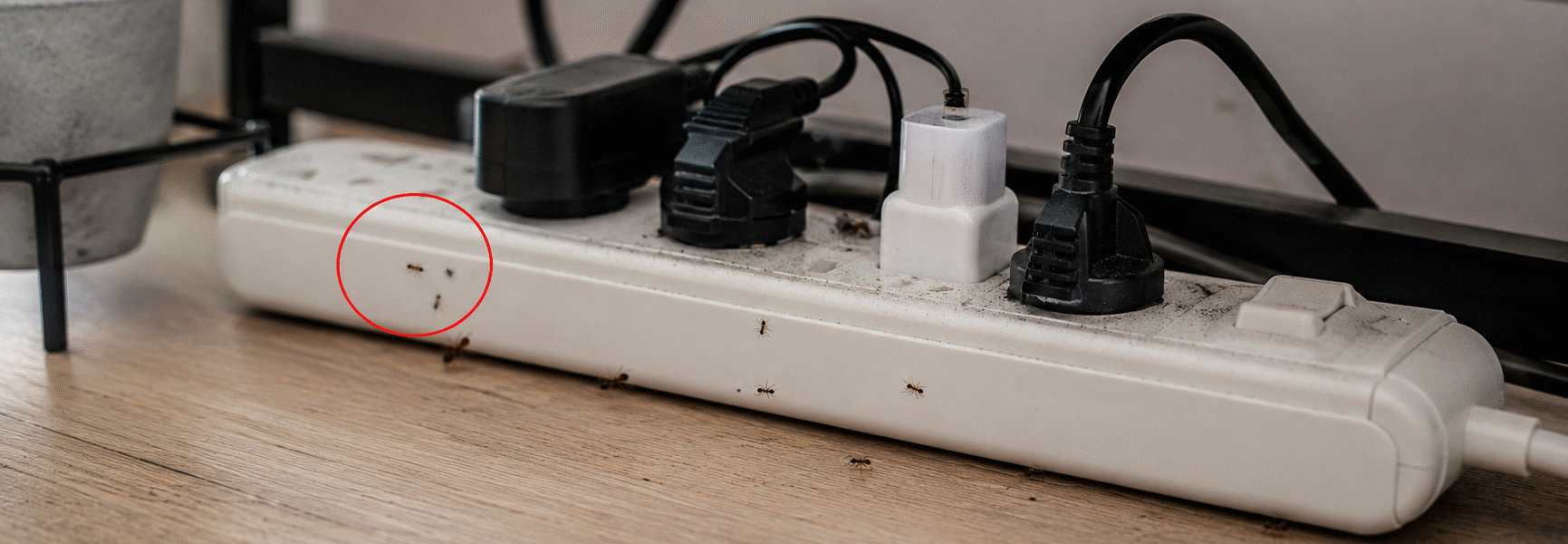
Ants crawling into your power strips may seem strange at first, but it’s actually a common problem in many homes. These tiny pests are often drawn to warmth, hidden crumbs, and the small spaces around electronics. What starts as a few wandering ants can quickly turn into a frustrating trail across your desk, TV stand, or workspace.
The good news is you don’t need harsh sprays or expensive treatments to keep them away. A few simple habits—like keeping the area clean, sealing entry points, and reducing moisture—can make a huge difference. Protecting your power strips is not only about stopping ants, but also about keeping your electronics safe from potential damage.
If you’re tired of seeing ants near your cords and outlets, don’t worry—you’re not alone. With the right approach, you can keep your space clean, your devices protected, and those unwanted visitors out for good.
What You’ll Learn in This Guide
- Why ants are attracted to power strips and electronics
- How to safely remove ants without damaging devices
- Warning signs that point to a bigger infestation
- A simple step-by-step removal method that works
- When to clean vs replace a power strip
- How to prevent ants from returning long-term
Why Ants Are Attracted to Power Strips
Power strips themselves don’t attract ants—but the environment around them often does.
They’re usually tucked behind furniture, near walls, or under desks where dust builds up and airflow is limited. This creates a perfect hiding and exploring zone for ants.
Here are the main reasons ants show up around them:
Affiliate Disclosure: This page contains affiliate links. If you buy through my links, I may earn a small commission at no extra cost to you.
As an Amazon Associate, I earn from qualifying purchases
1. Warmth From Electronics
Power strips connected to multiple devices can generate gentle warmth.
Ants naturally move toward warm areas because they provide stable conditions for movement and nesting activity.
This is especially common around:
2. Dust and Hidden Food Particles
Dust is not just dirt—it often contains microscopic food particles, pet hair, and organic debris.
Behind entertainment centers and desks, this buildup can quietly attract scout ants.
3. Moisture and Humidity
Even small amounts of humidity make a big difference.
Nearby kitchens, windows, or poorly ventilated rooms can increase moisture levels, which helps ants survive and travel more easily.
4. Cable Clutter
Tangled cords create:
- Dark pathways
- Hidden travel routes
- Protected movement zones
Ants prefer these sheltered environments because they reduce exposure to light and disturbance.
5. Shelter and Low Disturbance
The space behind furniture is often overlooked during regular cleaning or rearranging, which makes it a calm, undisturbed spot where ants can quietly explore without much interruption.
Electronics & Devices
Related Guides: Ants in Electronics & Devices
- Why Ants Show Up Around Electronics
- Why Are Ants Attracted To My Laptop
- Why Ants Are Attracted To Gaming Consoles
- Why Are Ants Attracted To Wall Outlets And Switch Boxes
Can Ants Damage a Power Strip?
Most ants won’t actually chew on or consume electrical parts, but they can still cause trouble by creating problems around the equipment.
Possible risks include:
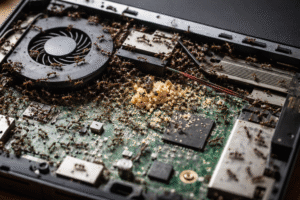
- Dust and debris buildup inside outlets
- Blocked ventilation around devices
- Overheating due to insulation of dirt
- Electrical instability in severe infestations
- Short-circuit risk in extreme cases
Some species may even nest inside electrical devices if conditions are favorable.
So while a few ants are not dangerous, ignoring repeated activity can lead to bigger issues over time.
Severity Levels of Ant Infestation (Quick Diagnosis Guide)
Not all ant activity is the same. Understanding severity helps you avoid using the wrong treatment.
🟢 Light Activity (Scout Ants)
Signs:
- A few ants near cords or baseboards
- No consistent trail
- Activity disappears after cleaning
Meaning:
Scout ants are just exploring. No established colony nearby.
Best action:
Cleaning + bait placement is usually enough.
🟡 Moderate Activity (Active Foraging)
Signs:
- Clear ant trail appears daily
- Ants return after cleaning
- Activity focused around one area
Meaning:
A nearby nest is likely present (wall, floor gap, or behind furniture).
Best action:
Baiting + sealing entry points + cleaning routine.
🔴 Heavy Activity (Possible Nest Nearby)
Signs:
- Large numbers of ants continuously
- Multiple trails in different directions
- Activity in multiple rooms
Meaning:
Likely a nest inside walls or structural gaps.
Best action:
Professional pest control may be needed alongside baiting.
How Ants Get Near Power Strips
Ants are incredibly small and can access electronics through tiny openings.
Common entry paths include:
- Wall baseboard gaps
- Carpet edges
- Cable openings
- Wall outlet cracks
- Furniture joints
Cables can also act like bridges, allowing ants to move directly toward electronics.
Hidden Entry Points
Related Guides: Other Hidden Entry Points in Your Home
- How to Get Rid of Ants in Walls
- Ants Near Water Heater
- Why Are Ants Attracted To AC Units
- Why Are Ants Attracted To Refrigerators/Freezers
- Why Are Ants Attracted To Toasters And Toaster Ovens
Warning Signs Ants Are Around Your Power Strip
Watch for early indicators before the problem grows:
- Repeated ant trails in the same area
- Dust buildup around cords and outlets
- Ants gathering near warm electronics
- Musty or unusual odors near devices
- Increased activity at night or early morning
Early detection makes treatment much easier.
Kitchen & Home Trigger
Related Guides: Kitchen & Living Room Ant Triggers
- How To Get Rid Of Ants In The Kitchen Naturally
- Best Natural Ways To Get Rid Of Ants in Your Home
- Tiny Black Bugs in the Kitchen
- Why Dead Ants Attract More Ants
- How To Keep Ants Out Of Coffee Maker
Safe Step-by-Step Method to Remove Ants
Step 1: Unplug Everything
Always disconnect power before cleaning. Safety first.
Never spray or apply liquid near live electronics.
Step 2: Move and Inspect the Area
Carefully move the power strip if possible and check:
- Floor edges
- Wall corners
- Furniture gaps
This helps locate the source path.
Step 3: Use Compressed Air
Use compressed air to remove:

- Dust
- Crumbs
- Hidden debris
- Light ant presence
This is safe for electronics when used properly.
Step 4: Deep Clean the Area
Wipe surfaces around:

- Desks
- TV stands
- Floors
- Cable bundles
Even small food particles can keep ants returning.
Step 5: Place Ant Bait Nearby
Use bait stations near entry points—not on electronics.
Good locations:

- Baseboards
- Behind furniture
- Room corners
This targets the colony instead of just visible ants.
Step 6: Use Diatomaceous Earth Carefully
Apply a very light barrier around:

- Wall edges
- Baseboards
- Floor cracks
Never place inside electronics or outlets.
Step 7: Seal Entry Points
Use caulk or sealant to close:

- Cracks
- Cable holes
- Baseboard gaps
This prevents future re-entry.
What to Expect After Treatment (Timeline Guide)
Ant control is not instant. Here’s what usually happens:
Day 1–2
Ant activity may increase. This is normal.
Day 3–5
Activity starts shifting toward bait sources.
Day 6–10
Noticeable reduction in ants near electronics.
Day 10–14
Most colonies are eliminated or significantly weakened.
When to Clean vs Replace a Power Strip
You can clean and keep it if:
- No burning smell
- No visible damage
- Outlets still grip properly
- No overheating signs
Replace it if you notice:
- Burn marks or discoloration
- Buzzing or crackling sounds
- Melted or warped plastic
- Burning smell
- Loose or failing outlets
If both ants and electrical warning signs are present, replacement is safer.
Prevention Tips (Long-Term Control)
Keep the area clean
Even tiny crumbs attract ants.
Reduce humidity
Use:
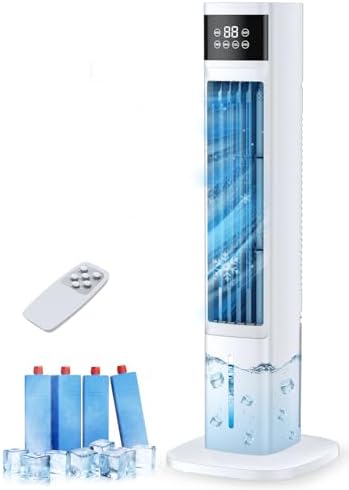
- Dehumidifiers
- Air conditioning
- Proper ventilation
Improve cable management
Use sleeves or organizers to remove hidden pathways.
Elevate power strips
Keep them off the floor when possible.
Inspect regularly
Check behind furniture every few weeks.
Product / Solution
Related Guides: Best Ant Control Products That Work Fast
- Best Indoor Pest Control Solutions That Actually Work for Ants and Roaches
- Best Ant Baits 2025: Top 5 Traps to Eliminate Ants Fast
- Best Carpenter Ant Killer For Indoors
- How To Control House Ants
Best Products for Ant Control Around Electronics
TERRO Liquid Ant Baits

Targets the colony directly and works over time.
Ortho Home Defense
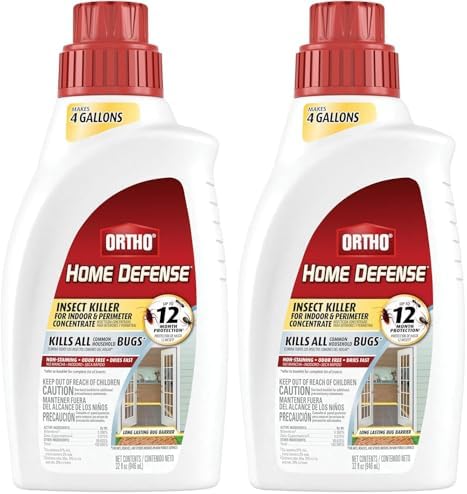
Creates a barrier around entry points.
Wondercide Natural Spray

Plant-based repellent option.
Zevo Spray

Fast contact control for visible ants.
Diatomaceous Earth
Long-lasting natural barrier for edges and cracks.
Frequently Asked Questions (FAQs)
1. Why do ants go near electronics?
They are attracted to warmth, shelter, and tiny food particles trapped in dust around electronics.
2. Can ants damage electronics?
Yes, indirectly they can. Ants may add to dust accumulation, trap moisture in certain areas, and in uncommon situations even raise the risk of overheating.
3. Should I spray ants near power strips?
No. Spraying liquids near electronics is unsafe and can cause short circuits or permanent damage.
4. How long does it take to get rid of ants?
Most infestations take about 7–14 days to fully clear, depending on colony size and how consistent treatment is.
5. Do ants come back after treatment?
They can return if food sources, moisture, or entry points are not removed or sealed properly.
6. Can ants actually live inside a power strip?
They don’t usually live inside the strip itself, but they may travel through it or nest nearby in wall gaps or behind furniture.
7. What is the safest way to remove ants around electronics?
The safest method is to unplug devices, clean the area thoroughly, and use bait stations placed away from electronics.
8. Why do ants keep coming back to the same spot?
They leave behind chemical scent trails that guide other ants back to the same food or shelter source until it is fully eliminated.
9. Can I use natural remedies like vinegar or essential oils?
Yes, but only around the area—not on electronics. These methods can help repel ants but won’t eliminate the colony.
10. When should I call a pest control professional?
If you see large, repeated infestations, multiple trails in different rooms, or signs of nesting inside walls, professional help may be needed.
Conclusion
Ants around power strips are usually a sign of environmental conditions—not just random insect behavior.
Warmth, dust, hidden crumbs, and cable clutter create a perfect pathway for them to explore.
The key to solving the problem is simple:
- Clean thoroughly
- Use bait strategically
- Remove entry points
- Control humidity
- Keep the area organized
With consistent care, you can keep your electronics safe, clean, and completely ant-free without ever needing to spray directly on your devices.