
Why Are Ants Attracted to My Laptop? 7 Surprising Reasons

Finding ants crawling across your laptop or disappearing into the keyboard can be frustrating—and a little alarming. While it might seem unusual, it’s actually a fairly common problem, especially if ants have already found their way indoors.
The good news is that ants usually do not enter laptops because they are attracted to the electronics themselves. They are often looking for a safe hiding place or are following food smells, crumbs, or sugary spills nearby.
Your laptop can offer several things that attract curious ants. Tiny crumbs, sticky drink residue, warmth from the device, and even nearby ant trails can all encourage them to investigate. Once a few ants discover a food source, they leave behind scent trails that can quickly bring more.
The good news is that this issue is usually easy to solve. With a few simple changes to your workspace and the right prevention methods, you can stop ants from returning and protect your laptop from future invasions.
Affiliate Disclosure: This page contains affiliate links. If you buy through my links, I may earn a small commission at no extra cost to you.
As an Amazon Associate, I earn from qualifying purchases.
Recommended Solution: Terro Liquid Ant Baits
If ants are showing up around your laptop or other electronics, the best solution is to eliminate the colony instead of only removing the ants you see. Terro Liquid Ant Baits use a slow-acting bait that worker ants carry back to the nest, helping target the source of the infestation and reduce ant activity around your home.
Check the latest price and availability of Terro Liquid Ant Baits on Amazon
Terro Liquid Ant Baits are a simple way to eliminate ants before they spread to electronics and other areas of your home.
Why are ants attracted to laptops?
Ants are attracted to laptops because of food crumbs, sugary residue, warmth, moisture, and nearby scent trails. While most ants are not attracted to electronics themselves, these surrounding conditions can lead them to explore keyboards, vents, and chargers.
In this guide, you’ll learn:
- Why ants are attracted to laptops and other electronics
- Whether ants can damage your device
- Safe ways to remove ants without harming your laptop
- Practical tips to keep ants away for good
Quick Solutions: Products to Keep Ants Away From Your Laptop
Already seeing ants around your laptop? These are the products that can help remove the problem and prevent them from returning.
⭐ Best Overall Ant Control: Terro Liquid Ant Baits
Best for: Eliminating the colony instead of only killing visible ants.
Terro liquid ant baits allow worker ants to carry the bait back to the nest, helping target the source of the infestation.
✅ Works on common household ants
✅ Easy to place near desks and work areas
✅ Helps stop recurring ant trails
⭐ Best Natural Option: NOW Peppermint Essential Oil
Best for: Creating a natural ant-repelling barrier around your workspace.
Peppermint oil has a strong scent that can help discourage ants from traveling across your desk and laptop area.
✅ Chemical-free option
✅ Useful for prevention
✅ Easy to apply around workspace areas
⭐ Best Prevention Option: Cooler Master Laptop Cooling Pad
Best for: Reducing laptop heat and improving airflow.
Since ants may investigate warm areas, improving ventilation can make your laptop workspace less attractive.
✅ Helps reduce heat buildup
✅ Improves airflow under laptop
✅ Useful for long work sessions
7 Main Causes of Ants in Laptops
| Cause | Why It Matters | Ant Behavior | Prevention |
|---|---|---|---|
| Food crumbs | Even tiny residue attracts ants | Follow scent trails into keyboard | Clean keyboard & avoid eating nearby |
| Warmth | Laptops generate steady heat | Seek warm shelter | Use cooling pad, improve airflow |
| Moisture | Drinks or humidity attract ants | Search for water sources | Wipe spills immediately |
| Dust buildup | Dust holds food particles | Explore vents & ports | Regular cleaning |
| Nearby nest | Colonies close to workspace | Establish trails quickly | Seal entry points |
| Sugary residue | Sticky surfaces attract strongly | Aggressive feeding trails | Disinfect desk regularly |
| Electronics activity | Heat + vibration combination | Explore devices | Avoid leaving idle devices on floor |

What Pest Experts Say About Ants and Electronics
Pest management professionals generally agree that ants are rarely interested in electronics themselves. Instead, they are attracted by environmental factors surrounding devices, including food particles, moisture, warmth, and shelter.
University extension entomology departments explain that ants commonly enter homes while searching for reliable food and water sources. Once worker ants discover a resource, they leave chemical trails that guide other members of the colony back to the same location.
Ants are naturally curious and always searching for food and water. Your laptop may be more enticing than you think. Here’s a clear comparison: If you’ve noticed ants on other devices, read our guide on Why Are Ants Attracted to Electronics?
When Ants Really Do Invade Electronics: The Rasberry Crazy Ant Exception

Most ants that appear around laptops are not interested in the electronics themselves. They are usually following food crumbs, sugary residue, moisture, or nearby scent trails. However, one unusual species has gained attention for invading electrical equipment: Rasberry crazy ants (Nylanderia fulva).
Rasberry crazy ants are known for their fast, erratic movements and their ability to form very large colonies. Unlike many common household ants, they have been documented entering electronic devices such as computers, routers, air conditioners, and electrical boxes.
It is important to remember that Rasberry crazy ants are uncommon and are mainly found in parts of the southern United States, particularly warm, humid areas such as Texas, Florida, Louisiana, and nearby regions. They are not the typical cause of ants appearing on most laptops.
These ants are usually found outdoors around vegetation, soil, landscaping, and moist areas. When they enter buildings, they may be attracted to warmth, shelter, and protected spaces inside electronic equipment.
If you notice large numbers of small reddish-brown ants moving in a scattered, unpredictable pattern around your electronics—and you live in an area where Rasberry crazy ants are established—you may be dealing with this species.
For most homeowners, though, ants around laptops are much more likely caused by everyday attractants like food particles, drink spills, warmth, or a nearby ant trail.
Best Ant Control Products to Keep Ants Away From Your Laptop
| Product | How to Use | Check Price On Amazon |
|---|---|---|
| Terro Liquid Ant Baits | Place near ant trails or under the desk. Ants carry bait back to colony. | Below “Use Ant Traps Near Your Laptop” section |
| Ortho Home Defense Ant & Crawling Insect Killer | Spray around desk edges, baseboards, and entry points. Avoid electronics directly. | Next to “Seal Cracks and Entry Points” |
| Now Foods Peppermint Essential Oil | Mix a few drops with water in a spray bottle; lightly spray around laptop area. | Next to “Apply Natural Repellents” |
| Cooler Master Laptop Cooling Pad | Place under laptop to keep device cooler and less attractive to ants. | Next to “Ensure Proper Ventilation” |
| Eco Defense Home Pest Control Spray | Non-toxic spray for surrounding area; safe for electronics. | Bottom of prevention tips section |
Terro Liquid Ant Baits (Top Pick)
If ants are repeatedly appearing, killing individual ants will not solve the problem. Liquid ant baits such as Terro work differently by allowing worker ants to carry the bait back to the colony.
Signs That Ants Are Inside Your Laptop
Look for:
- Ants coming out of keyboard gaps or vents
- Small debris or dirt falling from ports
- Random overheating without heavy use
- Ant trails around charging ports or desk area
- Unusual movement or clicking near vents
If you notice more than one sign, ants may already be inside your device.
Can Ants Damage a Laptop?
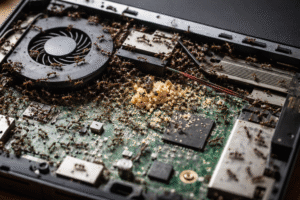
While a few ants usually won’t damage a laptop, large infestations can create problems. Ants may block cooling vents, build nests inside electronics, contaminate components with debris, or in rare cases contribute to electrical shorts. The risk increases when ants remain inside a device for long periods. If ants keep returning, treating the colony with a quality liquid ant bait is usually much more effective than simply removing the ants you can see.


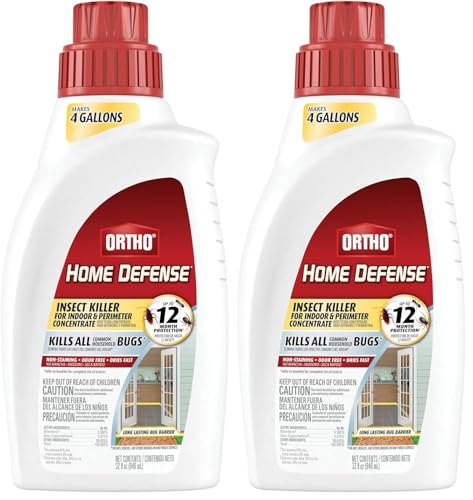
Ortho Home Defense Ant & Crawling Insect Killer
Perfect for creating a protective barrier around your workspace. Spray along baseboards, desk edges, room corners and entry points to stop ants before they reach your laptop. (not electronics).
NOW Peppermint Essential Oil (Natural Repellent)
Ants hate strong scents like peppermint. Mix a few drops with water and lightly spray around your laptop area to keep ants away naturally—without harsh chemicals.

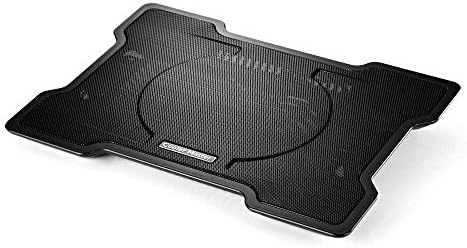
Cooler Master Laptop Cooling Pad Laptops generate heat, which attracts ants. This cooling pad reduces warmth and improves airflow, making your device far less appealing to pests. Place directly under laptop for airflow improvement.
Eco Defense Home Pest Control Spray (Safe Option)
If you want a non-toxic solution, this spray is safe to use around your workspace while still being effective against ants and other crawling insects.

How to Get Ants Out of Electronics (Quick Steps)
If you’re already dealing with ants, knowing how to get ants out of electronics safely is crucial. Start by turning off your device, removing visible ants, and cleaning the surrounding area before applying ant control solutions.
How to Prevent Ants From Invading Your Laptop
- Clean Your Workspace Regularly
Wipe desk and keyboard daily; vacuum crumbs; remove sticky residues. - Store Food and Drinks Away from Your Laptop
Seal snacks in containers and clean up spills immediately. - Use Ant Traps Near Your Laptop
Terro liquid ant baits are highly effective when placed along ant trails. - Seal Cracks and Entry Points
Caulking or weather-stripping can prevent ants from entering. - Apply Natural Repellents
Spray peppermint, vinegar, or cinnamon solutions around your laptop area. - Ensure Proper Ventilation Around Your Laptop
Use a cooling pad or make sure airflow keeps the device from overheating. - Call Pest Control if Necessary
Persistent infestations may require professional help.
Related Guides:
- Why Ants Are Attracted To Electronics
- Why Are Ants Attracted To Wall Outlets And Switch Boxes
- Why Are Ants Attracted To Refrigerators And Freezers
- How To Get Rid Of Ants In The Kitchen Naturally
- Why Dead Ants Attract More Ants
11 FAQs About Ants and Laptops
Do I need to throw away my laptop if ants get inside?
No. In most cases, ants inside a laptop do not mean the device is ruined. Turn it off, unplug it, remove visible ants safely, and address the nearby infestation. If ants continue appearing from inside the device, professional cleaning or repair may be needed.
What attracts ants to electronics?
Ants are usually attracted to warmth, moisture, food crumbs, and sugary residue. Laptops also create small hidden spaces that make them appealing for shelter.
Can ants damage my laptop?
A few ants won’t usually cause damage, but large infestations can become a problem. They may block vents, leave debris behind, or in rare cases contribute to overheating or short circuits.
Why are ants attracted to my laptop charger?
Laptop chargers generate heat while in use, which can attract ants looking for warm nesting spots. If there’s also dust or residue nearby, it becomes even more appealing.
Can ants live inside a laptop?
Yes, in rare cases. If conditions are right—such as warmth, shelter, and nearby food sources—ants may temporarily nest inside a laptop, especially around vents or keyboards.
Are ants attracted to electricity or heat?
Most ants are not directly attracted to electricity. Instead, they are drawn to heat, vibrations, and environmental conditions created by electronic devices.
How do I get ants out of my laptop safely?
Turn off and unplug your device first. Gently remove visible ants using air or a soft brush, then clean the surrounding area. Avoid spraying liquids directly into the laptop.
Why do I see ants on my laptop at night?
Ants are more active at night when they search for food and water. If your laptop is near a trail or food source, they may explore it during these hours.
How do I keep ants from crawling on my laptop?
Keep your workspace clean, avoid eating near your laptop, seal entry points in walls or windows, and use natural repellents like peppermint or vinegar around the area.
How do ants keep coming back to my laptop?
If ants keep returning, it usually means there’s a nearby nest or an established scent trail. Even after cleaning, they may follow the same chemical path unless the source colony is treated.
Are there natural remedies to deter ants?
Yes. Strong scents like peppermint oil, vinegar, cinnamon, and lemon can help repel ants. These are safe options to use around electronics when applied lightly around the workspace.
Quick Tip
If ants are appearing in more than just your laptop, the issue is likely a larger home infestation. Address the root cause to prevent repeated visits.
If ants keep coming back, using the right ant control products can eliminate the problem at the source and protect your laptop long-term.
Conclusion
Ants may be small, but they can disrupt your work and damage your device if left unchecked. By understanding why ants are attracted, using preventive measures, and leveraging natural repellents or ant traps, you can maintain a clean, ant-free workspace.
Take action today and protect your laptop from unwanted visitors!