How to Protect Routers, Modems, Computers, and Laptops from German Cockroaches
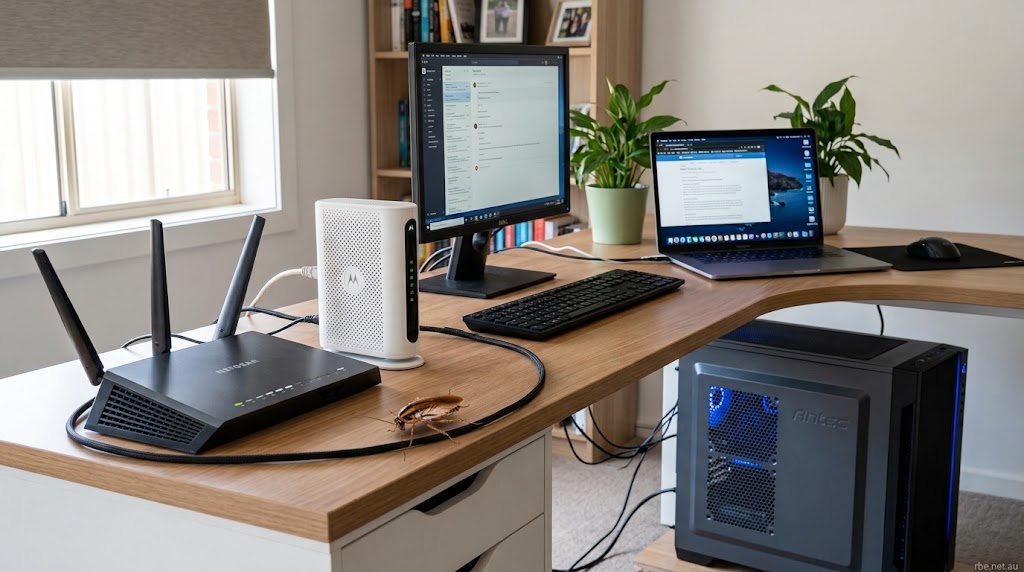
Discovering a German cockroach in your home can be an unsettling experience. Discovering one crawling into your Wi-Fi router, internet modem, desktop computer, or laptop can be even more worrying. These small pests can squeeze into narrow spaces, hide around electronic equipment, and become difficult to remove once an infestation develops.
The good news is that a few simple, practical changes can help keep roaches away from your electronic devices. By keeping your workspace clean, removing food sources, reducing hiding places, and controlling cockroaches in the surrounding room, you can make your home computing area less attractive to these unwanted visitors.
This guide explains why German cockroaches hide around electronics, how to recognize possible infestation signs, and how to protect four common devices without exposing sensitive components to insecticides or unnecessary damage.
Quick Answer: How to Protect Electronics from German Cockroaches
To help keep German cockroaches away from your electronics, focus on prevention and control around the device rather than treating the hardware itself.
- Keep food away: Avoid eating over keyboards and computer equipment. Clean crumbs and drink spills promptly.
- Keep equipment elevated when practical: Place routers, modems, and computer towers on stable shelves or stands that allow proper ventilation and easy cleaning.
- Reduce hiding places:Keep your workspace tidy by clearing away spare cardboard, stacks of paper, and clutter from desks and the surrounding floor.
- Inspect regularly: Look for live cockroaches, droppings, shed skins, and egg cases around equipment and its ventilation openings.
- Monitor nearby activity: Use suitable cockroach monitoring traps in accessible locations around the room.
- Control the infestation: Use appropriately labeled cockroach baits or contact a pest-control professional if activity persists.
- Protect your hardware: Never spray insecticides, apply loose powders, or place gel bait inside electronic devices.
What if cockroaches are already inside? If you see insects entering a device or have convincing evidence of an internal infestation, shut it down and disconnect its power when safe to do so. Arrange an inspection by a qualified electronics technician and address the cockroach problem in the surrounding room. External traps and bait alone cannot guarantee that insects inside the device will be removed.
Affiliate Disclosure: This page contains affiliate links. If you buy through my links, I may earn a small commission at no extra cost to you.
As an Amazon Associate, I earn from qualifying purchases.
1. Why Do German Cockroaches Hide in Electronics?
German cockroaches (Blattella germanica) prefer sheltered spaces close to food and moisture. They are commonly associated with kitchens, but an established infestation can spread into home offices, bedrooms, entertainment areas, and other parts of a building.
Electronics can provide potential hiding places, especially when the surrounding area offers easy access to food, clutter, or other suitable shelters.
Warmth from operating devices
Routers, modems, and computers produce heat while operating. Depending on their design and placement, they may create warm areas that cockroaches can use for shelter.
However, warmth alone does not mean a device will attract cockroaches. Access to food, moisture, hiding places, and an existing infestation also influence where these pests settle.
Dark, narrow spaces
German cockroaches tend to hide in tight crevices and concealed locations. Spaces around equipment housings, cable bundles, desk joints, and furniture can provide suitable shelter.
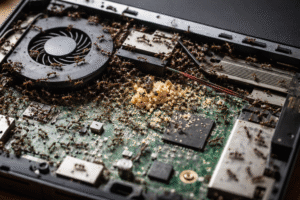
If a cockroach finds an opening into a device, the interior may offer an additional place to hide. Unfortunately, these areas are often difficult for homeowners to inspect safely.
Food crumbs and moisture nearby
Your computer does not need to contain food to become part of a cockroach problem. Crumbs beneath a keyboard, spilled drinks, food wrappers, and unclean desks can provide feeding opportunities close to your equipment. Leaking pipes, damp materials, and moisture elsewhere in the room may also help support an infestation.
Clutter and easy access
Cardboard boxes, stored papers, crowded shelves, and tangled cables can create extra hiding places. Devices positioned beside infested furniture or close to wall gaps may also be easier for cockroaches to reach.
The key takeaway: Protecting electronics involves more than moving them to a higher shelf. Keep the surrounding area clean, reduce available hiding places, monitor cockroach activity, and deal with the infestation at its source.
2. Warning Signs of Cockroach Activity in Electronic Devices
Cockroaches can hide around or inside electronics without being immediately visible. Knowing what to look for can help you respond before the problem becomes more difficult to manage.
| Warning sign | What it may indicate |
|---|---|
| Live cockroaches | Insects disappearing into vents, keyboard gaps, cable openings, or equipment housings |
| Dark specks or droppings | Possible cockroach activity near the device or its hiding places |
| Shed skins | Cockroaches have been developing nearby |
| Egg cases | Possible breeding activity in a concealed location |
| Persistent musty odor | May indicate an infestation, although odor alone is not conclusive |
| Repeated sightings | Cockroaches may be using the workstation or nearby furniture as a regular hiding place |
What do cockroach droppings look like?
German cockroach droppings may appear as small dark specks or irregular marks, depending on the surface and the amount of residue. Look around desk joints, wall edges, cable routes, and the area beneath or behind electronic equipment.
Not every dark speck is a cockroach dropping. Dust, dirt, and other insects can leave similar marks, so consider the location and look for additional evidence.
Can computer problems mean cockroaches are inside?
Sometimes insects or debris inside electronic equipment can contribute to technical problems. However, overheating, random shutdowns, connection failures, and other malfunctions can have many unrelated causes.
Do not assume a faulty router or computer contains cockroaches simply because it is behaving unusually. If you also notice live insects, droppings, or repeated cockroach sightings nearby, consider a professional inspection.
How to inspect your equipment safely
- Check the desk, shelf, floor, and wall edges around the device.
- Use a flashlight to inspect accessible exterior surfaces.
- Look around ventilation openings without inserting tools or fingers.
- Check cable routes and nearby furniture joints.
- If you suspect insects are inside the housing, avoid dismantling powered equipment and arrange qualified assistance.
3. How to Keep German Cockroaches Out of Wi-Fi Routers
Wi-Fi routers often operate around the clock. They may be tucked behind televisions, placed beneath desks, or hidden in corners where dust and clutter accumulate.
These locations can be easy to overlook during routine cleaning. A few simple changes can make the area easier to maintain and inspect.
Choose a clean, accessible location
Place your router on a stable shelf or desk where you can reach the surrounding surfaces. Avoid placing it directly on the floor, beside piles of paper, or inside an enclosed cabinet that restricts ventilation.
Elevating a router can make cleaning easier and reduce contact with floor-level debris. However, cockroaches can climb furniture and follow cables, so elevation alone will not prevent them from reaching the device.
Keep ventilation openings clear
Routers need sufficient airflow to operate correctly. Keep vents clear of dust, fabric, papers, and other materials. Avoid covering the openings with improvised mesh tape or other barriers. Even fine mesh can restrict airflow, interfere with cooling, or cause other problems. Use only accessories permitted by the manufacturer.
Clean behind and beneath the router
Dust and food debris can accumulate in overlooked corners. Wipe accessible surfaces regularly and check the area behind the router, beneath its shelf, and around nearby furniture. Pay particular attention if the router is close to a kitchen, food storage area, or known cockroach hiding place.
Monitor for cockroach activity
A suitable sticky monitoring trap can help reveal whether cockroaches are traveling around the router’s location.
Place the trap on a nearby surface where it will not block ventilation, interfere with cables, or create a hazard for children or pets. Check and replace it according to its instructions.
If you repeatedly catch German cockroaches, investigate the surrounding room and use an appropriate control plan. A trap can help monitor activity, but it may not eliminate an established infestation.
4. How to Protect Internet Modems
Internet modems are often placed beside routers, television equipment, or cable connections. When several devices share a crowded corner, cleaning and inspection become more difficult.
Allow adequate space around the modem
Keep the modem away from cardboard, paper piles, curtains, and other clutter. Follow the manufacturer’s placement recommendations so the device has suitable airflow and its connections remain accessible.
Do not place a modem inside a sealed container to keep cockroaches away. Restricting ventilation may cause overheating.
Organize cables and connections
Power cords, Ethernet cables, and other connections can create sheltered routes between equipment, furniture, and walls.
Arrange cables neatly so you can clean around them and inspect the surfaces they follow. Avoid trapping cables beneath heavy furniture or allowing them to collect dust in inaccessible corners.
Check nearby walls and furniture
Inspect the area around cable entry points, baseboards, shelving, and furniture joints. Seal appropriate cracks and gaps where practical, taking care not to interfere with electrical wiring or ventilation.
If the modem belongs to your internet service provider, contact the provider before opening or modifying it.
What if cockroaches keep appearing near the modem?
Repeated sightings may indicate that the infestation is coming from elsewhere in the home. Check nearby kitchens, cupboards, food storage areas, plumbing, and other sheltered locations.
Treating only the space beside the modem may not solve the problem if cockroaches are hiding or breeding in another part of the building.
5. How to Protect Desktop Computer Towers
Desktop computer towers have ventilation openings, cooling fans, cable connections, and internal components. If cockroaches enter the case, inspection and cleaning can become more complicated.
Keep the tower in a suitable location
When practical, place your computer tower on a stable stand or desk rather than directly on the floor. Choose a position that allows you to clean beneath and around it.
Follow the manufacturer’s clearance recommendations. Avoid pushing the tower against walls, curtains, or furniture that blocks air intake or exhaust.
Keep the workstation clean
Dust and debris can collect behind the tower, beneath the desk, and around cable bundles. Make these tasks part of your regular cleaning routine:
- Remove food crumbs and wrappers from the workstation.
- Vacuum the accessible floor and surrounding area.
- Wipe the desk and computer stand.
- Check behind the tower for cockroaches or droppings.
- Keep food and open drink containers away from the equipment.
Cleaning the surrounding area reduces potential food sources and makes signs of pest activity easier to spot.
Use dust filters correctly
Some computer cases have removable dust filters designed for specific ventilation openings. These filters can help manage dust, but they should not be treated as guaranteed cockroach barriers.
Do not cover vents with improvised mesh or fit filters that restrict the airflow required for safe operation. Follow the computer case manufacturer’s instructions.
Clean internal components carefully
If you are experienced with computer maintenance, follow the manufacturer’s cleaning instructions. Otherwise, ask a qualified technician to inspect the tower.
Compressed air may be suitable for some cleaning tasks, but use it only as directed by the equipment manufacturer. Disconnect power first, avoid excessive pressure, and take care not to spin cooling fans excessively. Never use an air compressor that could introduce moisture or damaging pressure. If you suspect cockroaches are inside the case, do not spray insecticides or blow loose insecticidal dust into the computer. Remember: Cleaning the tower will not prevent reinfestation if cockroaches remain active elsewhere in the room.
6. How to Protect Laptops
Laptops move between rooms, travel in bags, and are often used on desks, sofas, or kitchen tables. Their compact housings and narrow openings can make an internal infestation particularly difficult to inspect.
Keep food and drinks away from the keyboard
Small crumbs can collect between keys and around the edges of a laptop. Avoid eating directly over the keyboard, and clean the exterior according to the manufacturer’s recommendations. Never pour cleaning liquids between keys or spray insecticides into the keyboard, charging port, or ventilation openings.
Store your laptop thoughtfully
When you finish working, place the laptop on a clean, dry surface away from food waste and clutter. A laptop sleeve can protect against dust and scratches during transport, but it is not a guaranteed cockroach barrier. If you have seen cockroaches nearby, inspect the laptop’s exterior, sleeve, and bag.
Check bags and work surfaces
If you carry your laptop between rooms or locations, periodically check the bag and sleeve for insects or debris. Avoid leaving your laptop bag on floors near known infestation areas or beside stored cardboard and paper. If you suspect the bag is infested, clean or treat it appropriately without exposing the laptop to insecticides.
Avoid improvised internal treatments
Do not freeze a laptop, heat it with a hair dryer, leave it in direct sunlight to kill insects, or spray insecticide into its openings. Temperature extremes and condensation can damage components, batteries, and screens. If you suspect cockroaches are inside the laptop, shut it down, disconnect its power supply when safe, and contact a qualified repair technician.
7. What to Do If Cockroaches Are Already Inside
Seeing a cockroach inside an electronic device can be alarming, particularly if the equipment is expensive or important for work. A careful response is safer than trying several home remedies.
Step 1: Stop using the device
If you see insects inside the housing or have convincing evidence of an internal infestation, shut the device down if you can do so safely. Disconnect the power supply when appropriate.
Do not touch exposed wiring or damaged components. For a device with a non-removable battery, follow the manufacturer’s shutdown guidance rather than attempting to remove the battery yourself.
Step 2: Keep insecticides away from the hardware
Never spray household bug spray, liquid insecticide, or cleaning products into the device. Do not place gel bait or loose powders inside vents, ports, keyboards, or electrical compartments.
These products can contaminate components, interfere with cooling, or create other safety concerns.
Step 3: Arrange a professional inspection
Contact a qualified electronics repair technician or service provider. Explain that you suspect German cockroaches and ask whether the equipment can be inspected and cleaned safely.
If the equipment belongs to your internet provider, employer, or another organization, contact its owner or support team before opening it.
Step 4: Address the surrounding infestation
Use suitable monitoring traps to check cockroach activity in the surrounding room. Follow with an appropriate pest-control plan that may include sanitation, sealing suitable gaps, labeled baits, and professional treatment when necessary.
Do not assume that treating the room will automatically remove cockroaches already inside a device. Likewise, cleaning the device will not solve the problem if cockroaches continue to enter from nearby hiding places.
Step 5: Return the device to use only when safe
Follow the technician’s recommendations and the manufacturer’s instructions before reconnecting the equipment. If the device has been exposed to liquid, insecticide, or unusual temperature conditions, do not power it on until it has been assessed as safe.
Important: Do not rely on placing a device in a sealed plastic bag with bait, freezing it, or heating it as a do-it-yourself eradication method. These methods are unreliable and may damage the hardware or introduce other hazards.
8. Which Pest-Control Products Are Appropriate Around Electronics?
The safest approach is to control cockroaches in the surrounding environment rather than applying pesticides to electronic equipment. The most appropriate product depends on the infestation, where cockroaches are traveling, and the directions on the product label.
| Product type | Potential use | Important precautions |
|---|---|---|
| Cockroach gel bait | Apply at labeled locations where cockroaches travel or hide | Never put bait inside electronics, vents, ports, or electrical equipment |
| Sticky monitoring traps | Monitor activity along walls, behind furniture, and near equipment stands | Keep away from children, pets, and locations where traps could damage cables |
| Enclosed bait stations | Provide bait in a contained station where the label permits | Position safely and keep away from equipment and unauthorized access |
| Cleaning tools | Remove crumbs, dust, and debris from accessible surroundings | Follow equipment instructions; do not dismantle electronics unless qualified |
| Professional pest control | Help manage persistent or widespread infestations | Explain where electronics are located and identify any household or equipment restrictions |
Can you use gel bait near a router or computer?
Gel bait may help control German cockroaches when applied according to its label. However, it should not be placed inside the device or in a location where it can contaminate equipment. Use only permitted application sites, keep bait away from children and pets, and avoid placing it on surfaces used for food preparation.
Bait does not guarantee that cockroaches inside an electronic device will leave the device and feed on it. For suspected internal infestations, seek an electronics inspection as well as appropriate pest control.
What about boric acid and insecticidal dusts?
Do not blow boric acid, silica dust, or other insecticidal powders into electronic equipment. Loose dust can contaminate components and ventilation systems.
Use a dust product only in locations and by methods explicitly permitted by its label. Never apply it to electrical outlets, wiring, or equipment unless the label specifically allows that use and all required precautions can be followed.
When should you hire a pest-control professional?
Consider professional help if you repeatedly see German cockroaches, find nymphs or egg cases, catch several insects in monitoring traps, or notice activity across multiple rooms.
A professional can help identify likely hiding places and develop a treatment plan for the surrounding infestation. If cockroaches may be inside valuable electronics, coordinate the pest-control work with a qualified electronics technician.
9. Prevention Checklist and Frequently Asked Questions
Home Electronics Protection Checklist
Use this checklist to make your workstation less attractive to German cockroaches.
-
Keep food, crumbs, and open drinks away from electronic equipment.
-
Clean desks, shelves, and floors around devices regularly.
-
Place routers, modems, and computer towers in stable locations with adequate ventilation.
-
Organize cables so you can inspect and clean around them.
-
Reduce clutter and unnecessary cardboard near your workstation.
-
Inspect for live cockroaches, droppings, shed skins, and egg cases.
-
Use suitable monitoring traps to check for activity.
-
Apply pest-control products only in locations and ways permitted by their labels.
-
Never spray insecticides or apply loose dust inside electronic devices.
-
Arrange professional help if cockroaches repeatedly appear or may be living inside equipment.
Frequently Asked Questions
1. Can German cockroaches live inside a Wi-Fi router?
They may hide inside a router if they can enter its housing and find suitable shelter. However, not every router provides the same conditions. If you suspect internal activity, avoid spraying the device and arrange an appropriate inspection.
2. Can German cockroaches damage a computer or laptop?
Yes. Insects and their debris can contribute to contamination or interfere with sensitive components. However, computer malfunctions have many possible causes, so a technician should inspect the equipment rather than assuming cockroaches are responsible.
3. Does keeping electronics off the floor prevent cockroaches?
No. Elevation can make cleaning and inspection easier and reduce contact with floor-level debris, but cockroaches can climb furniture and follow cables. Keep the surrounding area clean and address any infestation.
4. Should I spray bug spray into router vents?
No. Spraying insecticides into router vents or other electronic openings can damage equipment and create safety concerns. Treat appropriate areas around the device according to the product label instead.
5. Can cockroach gel bait be placed inside a computer tower?
No. Do not put gel bait inside a computer tower, router, modem, or laptop. Use products only in suitable locations allowed by their labels, away from sensitive equipment.
6. Will a sticky trap eliminate a German cockroach infestation?
A sticky trap can capture some cockroaches and help monitor activity, but it may not eliminate an established infestation. Repeated catches call for broader control measures, which may include sanitation, appropriate baiting, and professional treatment.
7. Can cockroaches lay eggs inside a laptop?
A German cockroach may carry an egg case into a concealed location before the eggs hatch. If you suspect an egg case or cockroach activity inside a laptop, arrange a qualified inspection rather than trying to treat the interior yourself.
8. Should I put my laptop in the freezer to kill cockroaches?
No. Freezing is not a recommended do-it-yourself treatment for laptops or other electronics. Cold temperatures and condensation can damage sensitive components. Have a suspected infestation inspected and treated appropriately.
9. Why do cockroaches keep returning to my computer desk?
They may be entering from nearby kitchens, wall gaps, furniture, stored materials, or other hiding places. Food crumbs, clutter, and moisture can help sustain activity. Investigate the surrounding room rather than treating only the desk.
10. When should I call a pest-control professional?
Consider professional help if you repeatedly see German cockroaches, find nymphs or egg cases, catch multiple insects in monitoring traps, or notice activity across several rooms. If cockroaches may be inside valuable electronics, coordinate pest control with a qualified electronics technician.
Conclusion: Protect Your Electronics by Controlling the Surrounding Pest Problem
German cockroaches can be difficult to manage when they find shelter around routers, modems, desktop towers, and laptops. Fortunately, you can reduce the risk by keeping work areas clean, removing food sources, organizing cables, and monitoring for signs of activity.
If cockroaches may already be inside a device, avoid spraying, freezing, or experimenting with homemade treatments. Protect the hardware first, arrange a suitable inspection, and address the wider infestation so the insects are less likely to return.
A cleaner workstation and a well-planned pest-control approach can help protect both your electronics and your home.