Ants on Your Desk? How to Keep Them Away (Easy Fixes)
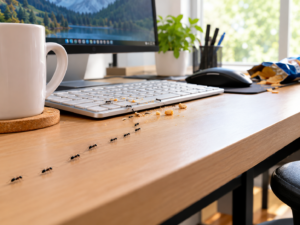
Seeing ants marching across your keyboard is annoying enough. Finding them disappearing underneath your mousepad, crawling through computer vents, or exploring the inside of your PC is a much bigger concern.
Fortunately, you don’t need to turn your computer desk into a chemical battlefield.
The most effective approach is to deal with the reason ants are coming to the desk, remove food and scent trails, block their routes, and use ant-control products in locations that keep them away from your electronics.
This guide explains how to get ants off your computer desk, what to do if they are getting inside your PC, which mistakes to avoid, and which Amazon products can help you deal with the problem.
Quick Answer: How to Keep Ants Away From Your Computer Desk
To keep ants away from your computer desk, remove crumbs and sugary drink residue, clean appropriate surfaces, eliminate ant trails, organize cables, seal obvious entry points, and place ant bait along active floor-level routes rather than beside your electronics. Never spray insecticide directly onto or into a computer, keyboard, monitor, power strip, or other electronic equipment.
Affiliate Disclosure
This article may contain affiliate links. If you purchase a product through one of these links, Bug Off Control may earn a commission at no additional cost to you.
As an Amazon Associate, Bug Off Control earns from qualifying purchases.
Quick Comparison: Ant Control Around a Computer Desk
| Product / Solution | Best For | Where to Use It | Key Benefit | Electronics Safe? |
|---|---|---|---|---|
| TERRO Liquid Ant Killer Bait Stations | Active ant trails | Floor, baseboards, near entry routes | Helps target ants where they travel | Yes, when kept away from electronics |
| Combat Max Ant Killing Gel | Targeted ant activity | Cracks, crevices and suitable areas near trails | Useful for treating specific routes | Yes, when kept away from electronics |
| Mighty Mint Peppermint Oil Spray | Supplemental prevention | Around non-electronic areas and entry points | Peppermint-oil-based option | Do not spray on electronics |
| 99% Isopropyl Alcohol | Cleaning compatible surfaces | Keyboard/exterior surfaces when manufacturer permits | Helps remove grime and residue | Use only where manufacturer allows |
| Cable Management Products | Reducing ant pathways | Around cables and desk areas | Helps organize and reduce routes | Yes |
| Regular Cleaning | Preventing attraction | Desk, keyboard area and surrounding floor | Removes crumbs and food residue | Yes |
Our practical approach: For an active ant problem, focus first on removing food sources, cleaning the workstation, identifying the ant route, and placing an appropriate bait station on the floor or near the trail—not on the computer desk.
Start With These 5 Steps
- Remove food and drinks from around the workstation.
- Clean the desk and appropriate peripherals according to their manufacturers’ instructions.
- Find and clean ant trails so new ants aren’t following the same route.
- Organize cables and seal entry points that give ants access to the desk.
- Use enclosed ant bait away from electronics if ants continue following the same route.
If ants are already getting inside your computer, stop treating the problem as simply a desk-cleaning issue. You’ll need to deal with the ants’ access route as well.
Why Are Ants Coming to Your Computer Desk?
Before buying an ant killer, take a minute to figure out why ants are interested in your workstation. Your computer may not actually be the thing attracting them.
Food Crumbs Hide in Places You Don’t Notice
Computer desks are surprisingly good places for tiny pieces of food to accumulate.
Crumbs can fall:
- Between keyboard keys
- Under the keyboard
- Around the mousepad
- Behind the monitor
- Under the desk
- Around a desk mat
- Inside nearby drawers
A few tiny crumbs may not look like much to you, but they can provide enough food for scouting ants to investigate. If you regularly snack while gaming, working, or watching movies, your keyboard deserves particular attention.
Sugary Drinks Can Leave an Invisible Invitation
Soda, juice, sweetened coffee and energy drinks can leave behind sticky residue. You don’t have to spill an entire drink. A few drops around a cup or can may be enough to leave a food source behind after the surface appears dry. Using a covered bottle or tumbler and cleaning spills promptly can make your workstation considerably less attractive to ants.
Your Desk Can Be Part of an Existing Ant Trail
Sometimes the ants aren’t interested in your computer at all. They may simply be using your desk as part of a route between their entry point and a food or water source. Once ants establish a trail, more workers may follow the same path. That’s why killing the ants you see isn’t always enough. You need to find out where they’re coming from and where they’re going.
Electronics Can Provide Warm, Protected Spaces
Computers and other electronic equipment produce heat during operation. A computer case also contains dark, protected spaces that can be attractive to insects when ants are already active nearby. However, don’t assume ants are automatically attracted to electricity or electromagnetic fields. In many situations, food, moisture, warmth, shelter and an established trail are much more practical explanations.
Can Ants Damage a Computer?
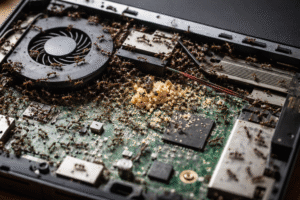
Yes, ants can potentially damage electronic equipment. If ants get inside a computer or other electronic device, they can interfere with components and, in some circumstances, contribute to electrical shorts or equipment failure. The risk varies depending on the ant species, number of ants, equipment design and where the ants are entering. That’s why seeing an occasional ant walking across your desk isn’t the same thing as discovering dozens of ants inside your PC.
If ants are entering your computer:
- Shut the computer down.
- Disconnect it from power.
- Don’t spray insecticide into the case.
- Don’t pour cleaning products into the computer.
- Investigate where the ants are coming from.
- Consider professional inspection if there is a significant infestation.
How to Get Ants Off Your Computer Desk
Start with the simplest part of the problem: the desktop itself.
Step 1: Remove Everything That Could Attract Ants
Take food, drinks, wrappers and trash away from the workstation. Don’t forget about things that are easy to overlook:
- Empty soda cans
- Candy wrappers
- Coffee cups
- Food containers
- Crumbs
- Used tissues with food residue
- Trash underneath the desk
Give the entire desk a thorough inspection.
Step 2: Clean the Desk
Clean the desk using a product appropriate for the desk’s material. The goal isn’t simply to make the desk look clean.
You also want to remove food residue and any substances that may be encouraging ants to continue using the same route. Pay particular attention to areas where you’ve seen ants.
Step 3: Clean the Keyboard Carefully
Keyboards can hide an impressive amount of debris. If your keyboard has removable keycaps, you can usually remove them carefully with a keycap puller, provided the keyboard manufacturer permits it. Then:
- Disconnect the keyboard.
- Remove loose debris.
- Remove removable keycaps if appropriate.
- Clean the keyboard according to the manufacturer’s instructions.
- Allow everything to dry completely.
- Reassemble before reconnecting it.
For laptop keyboards or keyboards with delicate construction, don’t start pulling keys off simply because you see ants. Follow the manufacturer’s cleaning instructions instead.
Can You Use Isopropyl Alcohol Around a Computer?
Isopropyl alcohol can be useful for cleaning certain electronic components and surfaces, but 99% isopropyl alcohol is not automatically safe for every item on your desk.
Some plastics, coatings, painted surfaces and display finishes can be damaged by alcohol. If the manufacturer allows isopropyl alcohol for a particular component:
- Use only a small amount.
- Apply it to an appropriate cloth or swab rather than spraying the device.
- Never pour it onto electronics.
- Keep it away from energized equipment.
- Allow the surface to dry completely before reconnecting power.
For monitors and displays especially, follow the manufacturer’s cleaning instructions rather than assuming alcohol is appropriate.
Isopropyl alcohol is a cleaning option, not an ant-control treatment.
Never Spray Bug Killer Into Your Computer
This is one of the most important rules in this entire guide.
Don’t spray household insecticide directly onto or into:
- Computers
- PC cases
- Keyboards
- Monitors
- Gaming consoles
- Power strips
- Surge protectors
- Electrical outlets
- Routers
- Cooling fans
- Computer vents
Household insecticides aren’t designed to be sprayed into electronic equipment. Aerosol mist and liquid residues can contaminate components and potentially create equipment or electrical problems. If ants are inside your computer, deal with the infestation around the computer rather than spraying the computer itself.
How to Stop Ants From Climbing Onto Your Desk
Once you’ve cleaned the workstation, look at how ants are actually getting there.
Check Every Cable
Cables can create an easy route between the floor and your desk. Look for:
- Ethernet cables touching the floor
- Power cords running along walls
- HDMI cables hanging down
- Extension cords
- Charging cables
- Cables resting against baseboards
Use cable clips, hook-and-loop straps or cable sleeves to organize them. Where practical, keep cables elevated and avoid creating unnecessary connections between the floor, walls and desktop.
Inspect the Desk Legs
Watch an active ant trail for several minutes. You may discover that ants are simply walking directly up one of the desk legs. A physical barrier can sometimes help, but don’t depend on double-sided tape or petroleum jelly as your only method of control. Ants may find another route. The goal is to combine physical prevention with sanitation, entry-point control and appropriate baiting.
How to Safely Open Your PC Case if Ants Are Inside
If you can see ants entering or leaving the ventilation openings of a desktop PC, you may need to inspect the inside of the computer. However, this is where you should slow down and prioritize safety.
Important safety rule
Never open the power supply unit itself.
A desktop PC’s PSU contains components that can retain dangerous electrical energy even after the computer has been unplugged. Opening the removable side panel of a PC case is very different from opening the PSU enclosure. If you’re uncomfortable working inside a computer, have a qualified technician inspect it.
Step 1: Shut Down the Computer
Use the operating system’s normal shutdown process. Wait until the computer has completely powered off and its fans and lights have stopped.
Step 2: Disconnect Power
Turn off the switch on the back of the PSU if your computer has one. Then disconnect the power cable from the wall or surge protector. Disconnect the other external cables as needed. You don’t need to open the PSU or attempt to discharge its internal capacitors yourself.
Step 3: Move the Computer to a Suitable Work Area
If practical, move the tower to a clean, well-lit area where you can inspect it without spreading ants throughout your living space. A suitable covered outdoor work area can be useful if weather and environmental conditions permit. Avoid working in rain, excessive humidity or other conditions that could expose the computer to moisture.
Step 4: Remove the PC Side Panel
PC cases vary considerably. Some use thumbscrews, while others use latches or tool-free mechanisms. Follow your case manufacturer’s instructions. If your case uses thumbscrews:
- Remove the appropriate screws.
- Keep them somewhere safe.
- Carefully release the side panel.
- Place a glass panel on a soft, stable surface where it won’t be knocked over.
Don’t force a panel that doesn’t want to come off.
Step 5: Inspect the Interior
Use a flashlight and look for:
- Live ants
- Ant trails
- Nesting material
- Food debris
- Dead insects
- Ant activity around ventilation areas
- Activity near the bottom of the case
Pay particular attention to places where ants could enter.
Do not open the PSU itself.
If ants appear to be inside the power supply housing, stop there and consider professional service or replacement.
Step 6: Use Compressed Air Carefully
Compressed air can be useful for removing loose dust and debris from a computer when used according to the manufacturer’s recommendations. If you’re using canned air:
- Follow the can’s directions.
- Keep the can in the recommended orientation.
- Use short bursts.
- Don’t put the nozzle directly against components.
- Avoid allowing fans to spin excessively.
- Keep the airflow controlled.
The objective is to move loose debris and insects out of the case without damaging components. Do not use compressed air as a substitute for treating the ant infestation. If you simply blow ants out of the computer while leaving an active trail leading back to your desk, they may return.
Step 7: Don’t Spray or Pour Anything Inside
Avoid spraying insecticide, household cleaner, essential oils or other liquids inside the PC. Also avoid wiping circuit boards with alcohol unless you’re following an appropriate equipment-specific cleaning procedure. If the inside of the PC has significant contamination, damage or a large number of ants, professional cleaning may be the safer choice.
Step 8: Reassemble the Computer
Once you’ve finished the inspection and any appropriate cleaning:
- Replace the side panel.
- Secure the case according to the manufacturer’s instructions.
- Return the computer to its workstation.
- Reconnect the cables.
- Address the ant trail outside the computer.
Remember: removing ants from the PC without dealing with the source won’t solve the problem.
The Most Important Part: Treat the Ant Route
This is where many people make a mistake. They see ants on the desk, kill them, clean the desk and assume the problem is finished. Then the ants return the next day. Why? Because the route is still there. Follow the ants. Look for where they:
- Enter the room
- Come through a wall
- Travel along a baseboard
- Cross the floor
- Climb a desk leg
- Follow a cable
- Enter a crack
- Disappear behind furniture
Once you’ve found the route, you can address the problem much more effectively.
Should Ant Bait Go on Your Computer Desk?
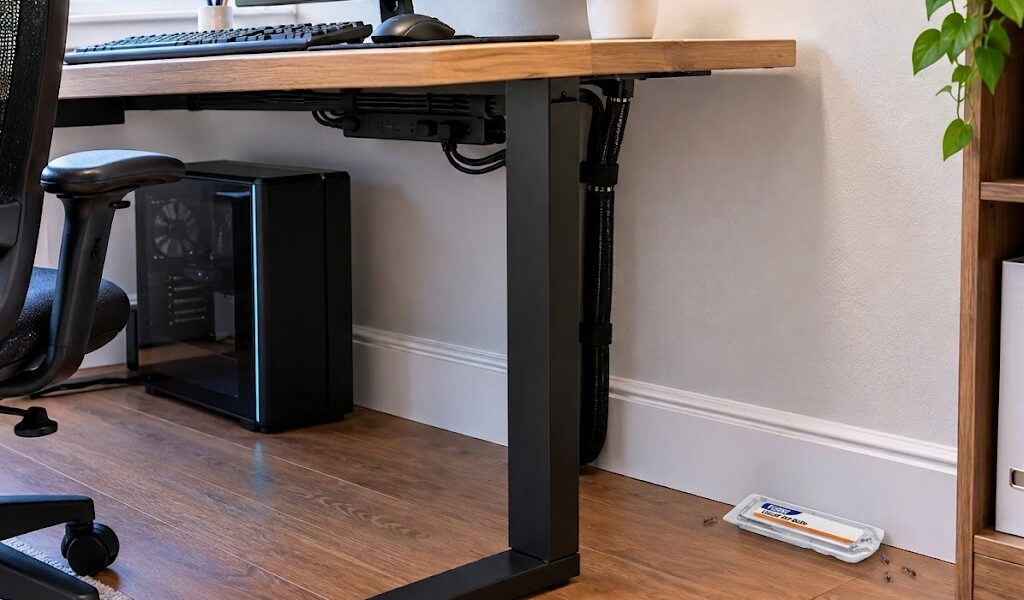
No. Putting ant bait directly beside your keyboard may bring even more ants onto your workstation.
Instead, place an enclosed bait station in an appropriate location along the ants’ route, such as a floor-level area near a baseboard, while following the product label. The idea is to intercept the ants before they reach your electronics. If you’re using gel bait, apply it only where the product label permits and keep it away from electronic equipment, children and pets as required.
5 Amazon Products to Consider for Ant Control Around a Computer Desk
You don’t necessarily need five different products. The right choice depends on whether you’re dealing with an active ant trail, an entry point, food residue or a problem inside the computer. The products below represent different approaches rather than five interchangeable ant killers.
1. TERRO Liquid Ant Killer Bait Stations 4.6  ☆
☆

Best for: Active indoor ant trails TERRO liquid bait stations are designed to provide ants with access to bait inside a contained station.
For a computer-room problem, the important thing is where you put it. Don’t place the bait beside your keyboard or monitor. Instead, use it near an appropriate floor-level ant trail or along a baseboard, following the product’s directions.
Why consider it: Convenient enclosed bait format
Best for: Ants repeatedly traveling through the room
Keep away from: Computers and other electronics
Check Latest Price & Availability on Amazon
2. Combat Max Ant Killing Gel 4.5 ☆

Best for: Targeted treatment around suitable cracks and crevices Ant gel can be useful when you’ve identified a specific location where ants are entering or traveling. The precision applicator allows targeted placement rather than applying product over a large area. For a workstation, this can be useful around suitable non-electronic cracks or entry points. Always follow the label directions.
Why consider it: Targeted application
Best for: Specific ant entry routes
Keep away from: Electronic components and areas accessible to children or pets
Check Latest Price & Availability on Amazon
3. Mighty Mint Peppermint Oil Insect & Pest Spray 4.2
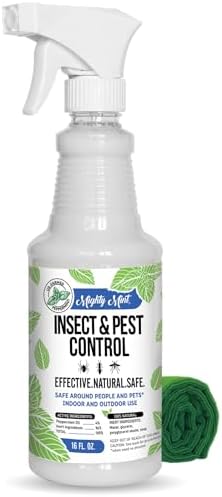
Best for: A supplemental peppermint-oil-based approach Peppermint-oil pest products are marketed as a plant-oil-based option for discouraging certain pests. However, don’t mistake a repellent for a complete solution to an established ant infestation.
If you use a peppermint-oil product, follow the label and never spray it directly onto your computer, monitor, keyboard or other electronics.
Why consider it: Peppermint-oil-based formula
Best for: Supplemental pest deterrence
Keep away from: Electronic equipment unless the manufacturer specifically states the product is suitable
Check Latest Price & Availability on Amazon
4. 99% Isopropyl Alcohol 4.8
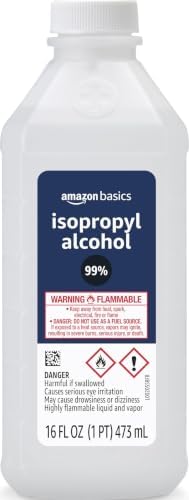
Best for: Cleaning compatible surfaces High-purity isopropyl alcohol is commonly used for certain electronics-cleaning applications. But more concentrated does not automatically mean better for every surface. Before using it, check the manufacturer’s instructions for the specific device or material you’re cleaning. Never spray it directly into a computer.
Why consider it: Fast-evaporating cleaner for compatible applications
Best for: Appropriate cleaning tasks
Important: It doesn’t eliminate an ant colony.
Check Latest Price & Availability on Amazon
5. Cable Management Products 4.7 ☆
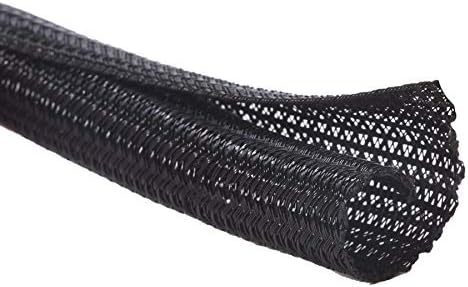
Best for: Removing unnecessary routes to the desk Cable clips, sleeves and hook-and-loop straps aren’t pesticides, but they can help solve a part of the problem that many people overlook.
If your power, Ethernet or HDMI cables create continuous routes from the floor to your desk, organizing them can make the workstation less accessible to crawling insects.
Why consider it: Helps organize and elevate cables
Best for: Workstations with cables touching floors or walls
Check Latest Price & Availability on Amazon
Which Product Should You Choose?
Here’s a simple way to narrow it down:
Which Ant Control Solution Should You Choose?
| Ant Problem | Recommended Solution |
|---|---|
| Ants frequently traveling across the floor | Enclosed ant bait stations |
| Ants entering through small cracks or crevices | Ant gel suitable for the area |
| Looking for additional ant deterrence | Peppermint-oil-based products |
| Food residue or sticky spills attracting ants | A cleaner suitable for the affected surface |
| Cables providing access to your desk | Cable-management accessories |
| Ants found inside your computer | Disconnect the equipment and consider professional inspection or servicing |
The important thing is not to throw every product at the problem. Match the product to the reason ants are reaching your desk.
What Not to Do When You Find Ants on Your Computer Desk
A few common reactions can make the situation worse.
Don’t spray insecticide into your PC
This can damage equipment and create safety concerns.
Don’t put bait on your keyboard
You’ll potentially attract more ants directly onto the area you’re trying to protect.
Don’t assume killing visible ants solves the infestation
There may be many more ants following the same trail.
Don’t open the power supply
The PSU is not a normal user-serviceable part.
Don’t pour cleaning products onto electronics
Apply appropriate cleaning products according to the equipment manufacturer’s instructions.
Don’t ignore a growing infestation
A few ants can become a much bigger problem if they have found a reliable food source or sheltered location.
How to Keep Ants Away From Your Desk Long-Term
Once you’ve eliminated the immediate problem, make the workstation less attractive to ants.
Follow a 30-Second End-of-Day Cleanup
Before finishing work or gaming:
- Remove food.
- Close drinks.
- Throw away food wrappers.
- Brush crumbs away.
- Wipe obvious spills.
- Check around the keyboard.
It only takes a short time, but doing it consistently can make a significant difference.
Keep Drinks Covered
A sealed tumbler or bottle is preferable to leaving an open sugary drink beside your keyboard.
Empty Food Waste
If your desk has a trash can containing food waste, empty it regularly.
Inspect Behind the Desk
Every so often, look behind the computer.
Check:
- Baseboards
- Wall gaps
- Cable openings
- Floor corners
- Power-strip areas
- Desk legs
You’re looking for the source, not just the ants.
Seal Entry Points
If ants are repeatedly entering through a crack or opening, sealing the opening can help reduce future activity.
Related Guides
- Why are Ants Attracted to Electronics
- Ants Inside Security Camera
- Why are Ants Attracted to My Laptop
- Why are Ants In Smoke Detectors
- How to Keep Ants out of a Wifi Router
- How to Keep Ants out of Power Strips
- Why Ants Go Inside TVs
- Why are Ants Attracted to Gaming Consoles
- Ants Near Water Heater
- Why are Ants Attracted to AC Units
- Why are Ants Attracted to Refrigerators/Freezers
- Why are Ants Attracted to Wall Outlets and Switch Boxes
What If Ants Keep Coming Back?
If you’ve cleaned the desk and the ants still return, don’t keep wiping the same ants away follow their trail. The answer may be behind your desk rather than on it.
Look for an entry point along the wall, floor, window, baseboard or cable opening. If you’re dealing with a persistent indoor infestation, a properly placed bait can be more useful than repeatedly killing individual workers. And if the infestation is extensive or difficult to locate, professional pest control may be appropriate.
Frequently Asked Questions
Can ants ruin a computer?
They can potentially damage electronic equipment if they enter it and interfere with components or electrical contacts. If you discover significant ant activity inside a computer, disconnect it and avoid spraying anything into the case.
Why do ants keep coming to my computer desk?
Food crumbs, sugary drinks, moisture, warmth, shelter and established ant trails can all contribute. The computer itself isn’t necessarily what attracted them.
Why are ants crawling on my keyboard?
Your keyboard may contain food debris or residue, or it may simply be located along an established ant trail. Clean it according to the manufacturer’s instructions and investigate where the ants are coming from.
Should I put TERRO on my desk?
No. Put the bait in an appropriate location along the ants’ route, such as a floor-level area near an active trail, according to the product label.
Can I spray Raid around my computer?
Avoid spraying insecticide onto or into electronic equipment. Keep aerosol insecticides away from computers, monitors, keyboards and power equipment.
Can I use rubbing alcohol to clean my computer?
It depends on the specific component and manufacturer’s instructions. Isopropyl alcohol is appropriate for some electronics-cleaning applications but can damage certain materials and finishes. Never spray it directly onto equipment.
Does peppermint oil get rid of ants?
Peppermint-oil products may help discourage ants in some circumstances, but they shouldn’t be treated as a guaranteed solution for an established infestation. Removing food sources and addressing the ant trail are important parts of control.
Can ants live inside a PC?
Some ants can enter and remain inside protected electronic equipment. If you repeatedly see ants entering your PC, investigate the surrounding infestation and consider professional inspection if the activity is significant.
Is compressed air safe for removing ants from a PC?
Compressed air can be useful for cleaning loose debris from compatible computer components when used correctly. However, it may scatter ants, so it should not be considered a complete ant-control solution.
Should I open my computer if I see ants inside?
You can inspect a desktop PC’s removable case panel if you are comfortable doing so and the manufacturer’s instructions allow it. Never open the power supply itself. If you’re unsure, have a qualified technician inspect the computer.
Should I take my PC outside to remove ants?
If practical, moving a disconnected desktop tower to a clean, dry and suitable area can help prevent ants from spreading around the room while you inspect it. Avoid exposing the computer to rain, moisture or extreme conditions.
Can ants cause a computer to overheat?
Ants can potentially interfere with fans, airflow or components if they accumulate inside equipment. However, overheating can have many causes, so don’t assume ants are responsible without inspection.
How do I stop ants from climbing onto my desk?
Remove food sources, clean ant trails, organize cables, seal entry points and use an appropriately labeled ant-control product near the ants’ route. Physical barriers can be supplemental but shouldn’t be your only strategy.
Should I kill every ant I see?
Killing visible ants can provide temporary relief, but it doesn’t address the colony or entry route. Finding the trail and dealing with the source is usually more useful.
Final Thoughts: Protect the Desk and Deal With the Source
Keeping ants away from your computer desk isn’t about finding one magic product. It’s about making the entire workstation less attractive and harder for ants to reach. Start with the basics:
Remove the food. Clean the trail. Organize the cables. Find the entry point. Keep bait away from electronics.
If ants are getting inside the computer, take the situation more seriously. Shut the equipment down, disconnect it from power, and avoid spraying or pouring anything inside. You can inspect a removable PC case panel if you’re comfortable doing so, but never open the power supply itself.
Most importantly, don’t focus only on the ants you can see.
Follow the trail. Find where they’re coming from. That’s where the real solution begins.